Skip to content

Official XM MT4 & MT5 Sync Support

XM Trading Journal — Master Your Psychology with Auto-Sync

Stop wasting time with manual spreadsheets. Plancana auto-syncs your XM trades, identifies your emotional triggers, and helps you trade with the discipline of a professional.

10k+

Active Traders

Live

MT4 / MT5 Sync

Free

To Download

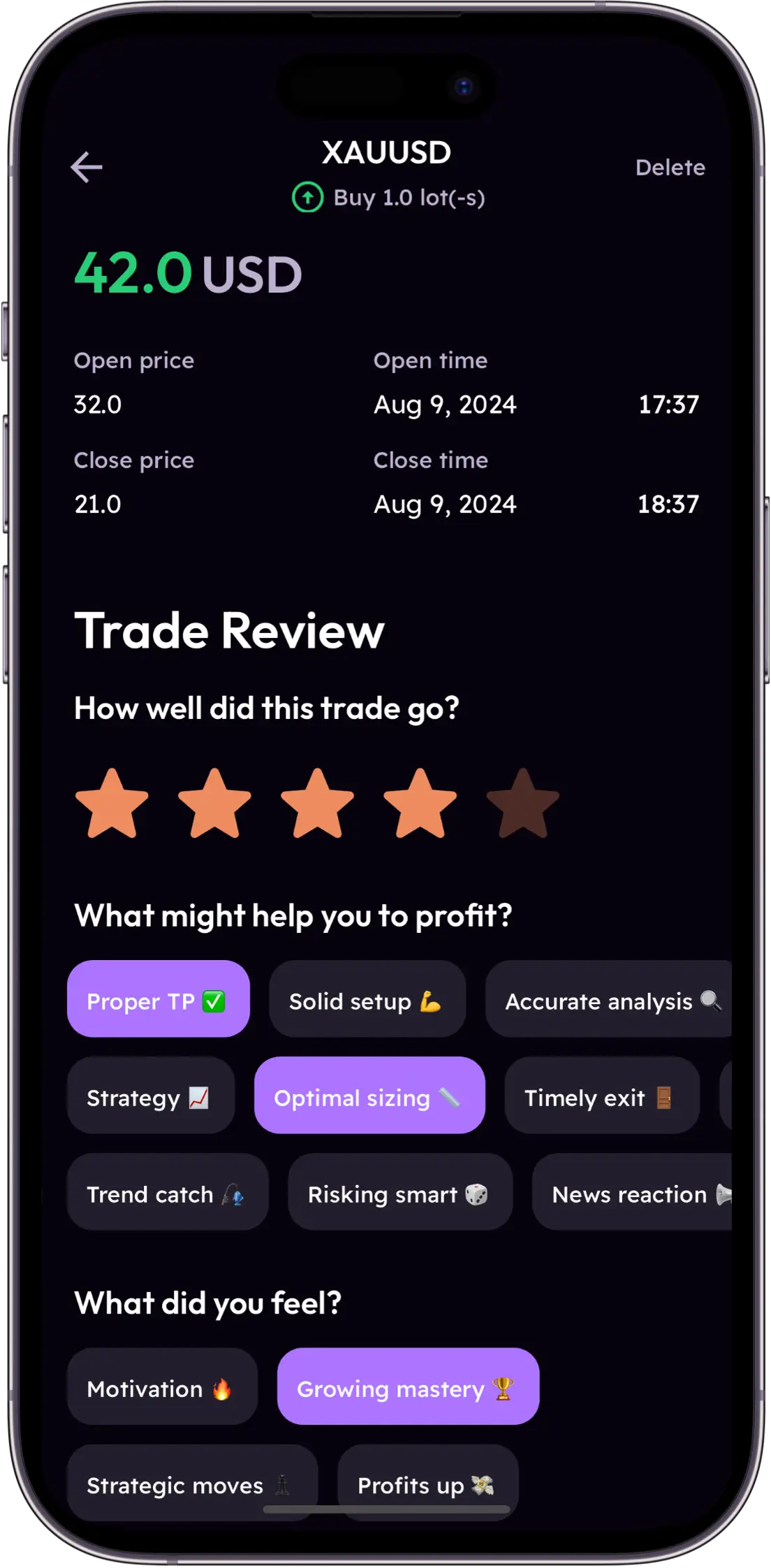
Trade Review Interface
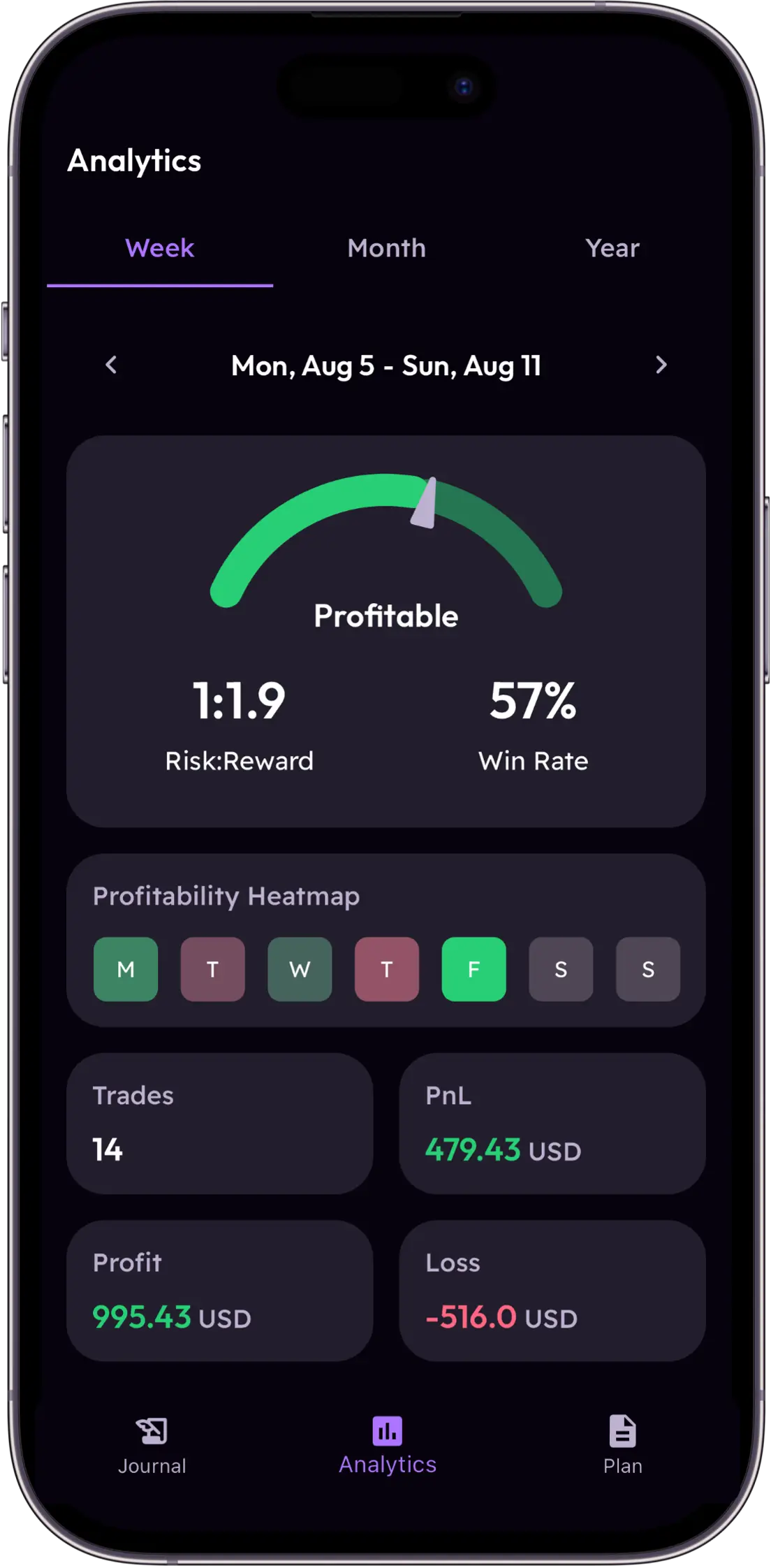
Analytics Widget
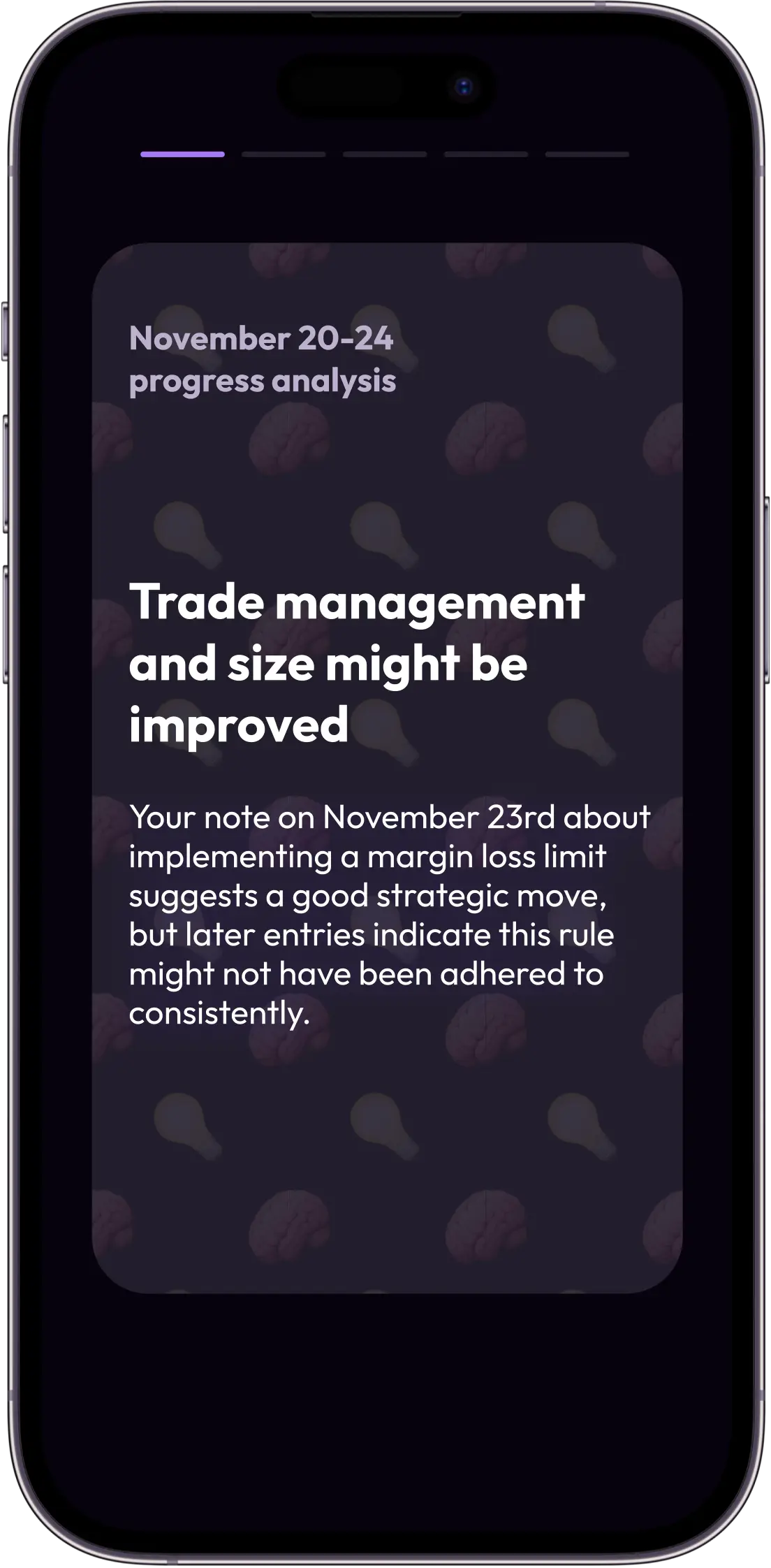
AI Insights Widget

Why Successful XM Traders Journal Differently

XM provides the infrastructure for fast execution. Plancana provides the infrastructure for professional growth. Most XM traders struggle with consistency because they lack a systematic way to review their decisions.

High Leverage Behavioral Risks

XM offers significant leverage, which is a powerful tool but a double-edged sword. Most traders fail not because of their strategy, but because high leverage triggers "size-shock"—an emotional state where fear or greed overrides your plan. Plancana helps you track how your decision-making quality changes as your margin utilization increases.

Execution Speed vs. Review Delay

Trading on XM is instantaneous, but most traders wait until the end of the week (or month) to export a CSV to a spreadsheet. By then, the emotional context of the trade is lost. Plancana auto-syncs your XM trades in real-time, allowing you to record your "why" while the memory is fresh, closing the feedback loop faster.

Account Type Fragmentation

Whether you are using an XM Micro account to test strategies or an Ultra Low account for tight spreads, your behavioral patterns vary. A "Standard" account mindset is different from a "Micro" account mindset. Plancana allows you to tag and filter trades by account type, helping you see where you are most disciplined and where you are leaking profit.

3 Steps to Automate Your XM Review

Setting up your XM trading journal takes less than two minutes. Connect once, and let our AI mentor do the heavy lifting.

1

Download Plancana

Available on iOS and Android. Start your journey by creating a profile optimized for performance psychology.

2

Sync XM MT4/MT5

Connect your XM account securely via MetaTrader credentials. We use read-only access to import your trade history automatically.

3

Review with AI Mentor

Once synced, our AI mentor analyzes your XM execution patterns, identifying emotional tilt and rewarding disciplined execution.

Mastering the XM "Ultra Low" Mindset

Traders attracted to XM's Ultra Low accounts often prioritize execution speed and tight spreads. While these are technical advantages, they often lead to a behavioral trap: over-trading. When the cost of entry is low, the barrier to "just taking a quick look" vanishes.

Plancana's behavioral analytics track your "Execution Density." If you find yourself taking 20 trades in an hour on an Ultra Low account, our AI mentor will flag this as a potential "noise-trading" session, helping you differentiate between high-probability setups and spread-chasing impulses.

Eliminating Margin Anxiety

XM's high leverage options (up to 1000:1 in some regions) mean you can control large positions with small capital. This is where most traders fail. Plancana's "Risk Heatmap" visualizes your margin usage against your emotional state. We show you exactly where your reported mood correlates with larger-than-normal losses.

The Psychology of XM Account Types

Micro Account

Carelessness due to small stakes

Monitor "boredom trades" and ensure every position follows the same checklist as a standard account.

Standard Account

Over-leveraging on high-conviction setups

Track your "Max Drawdown per Trade" and set behavioral alerts when size exceeds your comfort zone.

Ultra Low Account

Over-trading due to tight spreads

Use the frequency filter to detect when you are scalping out of impulse rather than edge.

Shares Account

Decision paralysis in slow markets

Track holding times and emotional state to ensure you aren't exiting winners too early due to impatience.

Your Personal AI Mentor for XM

Imagine having a professional performance coach sitting next to you while you trade on XM. Plancana's AI mentor analyzes every trade you take, looking for patterns that you might miss.

Pattern Detection

"You tend to lose 40% more on EURUSD when you trade the London open after a losing day." This is the kind of insight Plancana provides, helping you avoid your "danger zones" on XM.

Emotional Tagging

Don't just track pips. Track yourself. Plancana prompts you to log your mood and conviction levels, turning your XM trade history into a map of your psychological state.

Plancana vs. Traditional XM Journaling

Don't settle for raw data. Upgrade to behavioral intelligence.

XM MT4/MT5 Reports

Basic and static. Great for tax and balance checking, but tells you nothing about your mindset.

  • No emotional tracking
  • Hard to spot behavioral patterns
  • Difficult to use on mobile
  • Free to use
  • Accurate P&L data
  • Official broker support

Traditional Web Journals

Data-heavy and desktop-bound. Often overwhelming and slow to update.

  • Clunky mobile experience
  • No real-time AI coaching
  • Manual heavy workflow
  • Deep analytical depth
  • Many technical filters
  • Good for historical audits
Best Choice

Plancana for XM

Automated, psychology-first, and built for the mobile trader.

  • Native MT4/MT5 sync
  • AI-powered mood/tilt detection
  • Optimized for high-leverage review
  • 4.8★ Rating from 10,000+ traders

What XM Traders Are Saying

"The spreads on XM are tight, which used to make me over-trade. Plancana's frequency alerts helped me see that my win rate dropped by 30% when I took more than 5 trades an hour. That insight alone saved my month."

D

David L.

XM Ultra Low Account

"I trade high-leverage gold on XM. The "size-shock" is real. Using the mood tagging in Plancana, I realized I was exiting winners too early when my anxiety was high. Now I trust my plan and my stats."

S

Sarah K.

XM Standard Account

"Even with a small account, I wanted to build professional habits. Plancana treats my Micro trades with the same depth as a $100k account. The auto-sync is flawless and the AI feedback is better than any coach I've had."

M

Marcus J.

XM Micro Account

Your Spreadsheet Doesn't Remember How You Felt

You close a rough session on XM. Monday morning you open the spreadsheet — the numbers are there, but the emotion is gone. That gap is where most traders stay stuck.

1

The Memory Fades

You hesitated for 3 seconds before entering that EURUSD trade. That hesitation was meaningful data. By the time you sit down to review, it's gone — and you're left staring at a loss with no idea what actually went wrong.

2

You Only Log the Wins

After 15 trades, manual logging falls apart. The three revenge trades you snuck in after a stop-out? Somehow they never make the sheet. Your journal has been quietly lying to you — and you've been reviewing a filtered version of reality.

3

It Sees What, Not Why

Your spreadsheet can report your average win. It can't tell you that your win rate on XM Ultra Low collapses every Friday afternoon. It shows you what happened — never why. And in trading psychology, the why is everything.

The Plancana Difference

Turn Every XM Trade Into a Lesson — Automatically

Every trader on XM looks at the same charts. What separates the consistent ones isn't a secret indicator — it's self-knowledge. Plancana is the performance coach you carry in your pocket, giving you feedback after every single trade while the context is still fresh.

Because Plancana syncs live with your XM MT4/MT5 account, the data entry problem disappears completely. You spend that saved time doing the one thing that actually compounds: recording how you felt, whether you followed your rules, and what you'd do differently next time.

Loss Clusters

Consecutive losing periods tied to a specific emotional state or session time.

Revenge Cycles

Trades taken to "win back" losses — the fastest way to blow an XM account.

Euphoria Peaks

Overconfidence after a winning streak that leads to oversized, careless positions.

Start Your Professional XM Journal Today

Join over 10,000 XM traders using Plancana to build discipline and out-trade the market.

No credit card required · Free to download

FAQ: XM Trading Journal & Sync

Does Plancana work with XM?

Yes. Plancana syncs natively with XM Global and XM Group accounts via MetaTrader 4 (MT4) and MetaTrader 5 (MT5).

How do I connect my XM account to Plancana?

Simply open the Plancana app, select "Add Account", choose "MetaTrader", and enter your XM login details. Your trades will begin syncing immediately.

Is Plancana free for XM traders?

Plancana is free to download on iOS and Android. To sync your XM account and unlock the full suite of AI and psychology features, an active subscription is required.

Can I track multiple XM accounts?

Yes, you can connect and track multiple XM accounts simultaneously, allowing you to compare performance across different account types.